
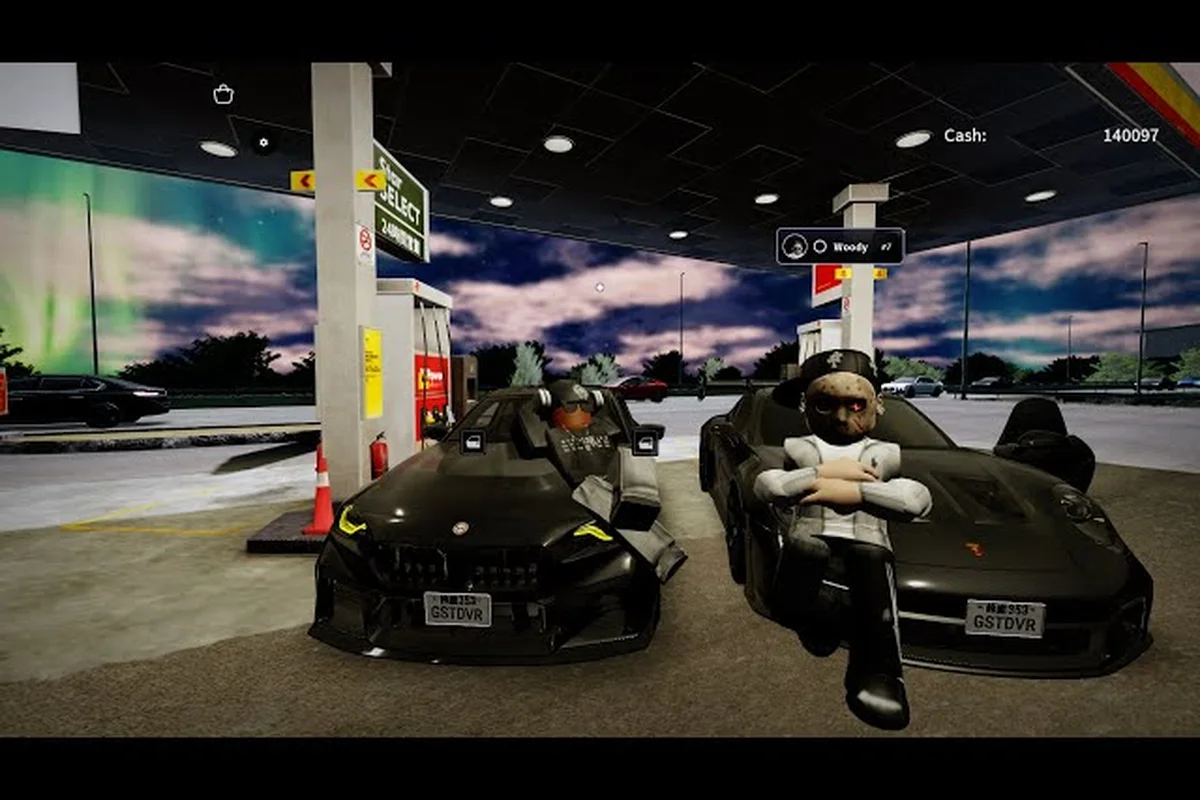
Joining the official Ghost Driver group on Roblox is the single most reliable way to stay ahead of new codes, car reveals, and patch notes, and the process takes less than two minutes once you know where to click. The group acts as the game's community hub, so knowing ghost driver how to join group steps directly determines whether you catch exclusive rewards before they expire or miss them entirely. Because the developer pushes updates through the group wall first, being a member means you never have to rely on second-hand code lists that often go stale.
Beyond the obvious benefit of early access to announcements, group membership unlocks a direct line to the developer, the official Discord, and the broader player base that keeps the game alive. This guide walks you through the exact joining process, what perks you actually receive, and how to use the group to report bugs or follow development progress. Get ready to claim your spot in one of Roblox's fastest-growing vehicle communities, because the Tilted Vehicles group currently sits at roughly 1.67 million members and that number climbs every week.
Understanding the Official Ghost Driver Group Structure
The developer behind Ghost Driver runs the game through a verified Roblox group called Tilted Vehicles, which serves as the official home for all announcements, community discussions, and reward distribution. When players search for ghost driver how to join group instructions, the answer always leads back to this single verified entity, and that matters because impostor groups frequently appear and try to steal members with fake code promises. The group's tagline, THE MOST TILTED VEHICLES, reflects the game's signature drift-heavy physics, and the group wall fills with thousands of posts daily from players sharing clips, asking questions, and trading tips.
The group structure mirrors what you would expect from a professionally managed Roblox community, with the developer using it as the primary broadcast channel for everything that matters. According to the official group page, all new Ghost Driver codes, update announcements, and car reveals are shared through the group wall alongside the developer's Discord and X (Twitter) accounts. This multi-channel approach means you can pick your preferred platform, but the group remains the most direct connection because it lives inside Roblox itself, where you already spend your time playing.
Why the Group Serves as the Community Command Center
The group does more than just broadcast announcements, because it also functions as a gathering point where players organize events, share driving techniques, and help newcomers understand the game's mechanics. New members immediately gain access to a wall where the most active players post their latest drift runs, and browsing those clips often teaches you more than any tutorial video ever could. The community around Ghost Driver has grown organically, with veteran players frequently answering questions from beginners within minutes of them being posted.
| Group Feature | What You Get | Why It Matters |
|---|---|---|
| Group Wall | Real-time player posts and developer announcements | Catch news before it spreads to external sites |
| Member Badge | Visible group tag on your Roblox profile | Shows community status and unlocks group-specific perks |
| Update Notifications | Direct feed of patch notes and car reveals | Stay informed without checking multiple sources |
| Code Drops | New redemption codes posted first | Claim rewards before they expire |
| Community Feedback | Direct channel for suggestions | Influence future game development |
Being part of the group also gives you a sense of belonging that external wikis and code sites simply cannot replicate, because you are interacting with the actual people who play the game alongside you. The group wall frequently features player-created challenges, and participating in those events is one of the fastest ways to improve your drifting skills while making friends in the process. For players who want the complete community experience, the group pairs perfectly with the Ghost Driver Discord server guide, which covers the developer-run chat platform in detail.
Step-by-Step Process to Join the Ghost Driver Group
Joining the group requires following a straightforward sequence of steps, and the entire process takes less than five minutes from start to finish. The most important thing to remember is that you must be logged into your Roblox account before you attempt to navigate to the group page, because the platform will redirect you to a login screen if you are not authenticated. Once you are logged in, the ghost driver how to join group procedure becomes a matter of clicking through three simple screens.
Step 1: Navigate to the Official Group Page
Open your browser and go to the Roblox group page for Tilted Vehicles, which you can find by searching "Tilted Vehicles" in the Roblox groups search bar or by clicking the group link that appears on the Ghost Driver game page itself. The game page always displays the developer's group in the game details section, so that is the safest place to start if you are worried about ending up on a fake group. Verify that the group shows the verified badge and has the correct member count before you proceed, because impostor groups sometimes use similar names to trick players.
Step 2: Click the Join Group Button
Once you are on the correct group page, look for the green Join Group button located on the right side of the screen, and click it to send your membership request. For most groups, including Tilted Vehicles, joining is instant and requires no approval from the group owner, so you will become a member immediately. You should see a confirmation message appear, and your Roblox profile will now display the Tilted Vehicles group badge underneath your username.
Step 3: Set the Group to Your Favorites
After joining, navigate to the group's main page and click the Favorite button so that the group appears prominently on your profile and in your social links. Favoriting the group also makes it easier to find the wall later, because the group will appear in your quick-access menu whenever you want to check for updates. Many players skip this step, but it genuinely improves the experience because you can reach the group wall in two clicks instead of searching for it every time.
| Joining Step | Action Required | Time Needed |
|---|---|---|
| Log In | Authenticate your Roblox account | 10 seconds |
| Find Group | Search "Tilted Vehicles" or use game page link | 30 seconds |
| Join | Click the green Join Group button | 5 seconds |
| Favorite | Click the star icon on the group page | 5 seconds |
| Check Wall | Scroll through announcements and codes | 1-2 minutes |
The entire ghost driver how to join group flow is designed to be frictionless, which explains why the group has accumulated such a massive member base. As of the latest community reports, the group sits at approximately 1.67 million members, and that number continues climbing with every major update release. If you run into any issues during the process, the group page itself usually has a troubleshooting thread pinned at the top, and the developer's X account regularly posts reminders about how to join.
Group Rewards and Membership Perks Explained
Being a member of the Tilted Vehicles group comes with tangible benefits that go beyond simply staying informed, because the developer regularly distributes rewards exclusively through the group channel. The most valuable perk is early access to redemption codes, since new Ghost Driver codes typically appear on the group wall before they spread to external code-list websites. Community data suggests that codes posted on the group wall have a significantly higher redemption success rate because players claim them before they hit their expiration limits.
The group also serves as the launchpad for in-game events and giveaways, with the developer occasionally hosting car reveal contests where members vote on upcoming vehicle designs. These events give players a direct say in the game's direction, which is rare in the Roblox ecosystem and explains why the community remains so engaged. Additionally, group members often receive exclusive cosmetics during major updates, and these items are never made available to non-members.
| Reward Type | How to Claim | Availability |
|---|---|---|
| Redemption Codes | Copy from group wall, redeem in-game | Limited time, first-come |
| Event Participation | Join contests announced on group | During scheduled events |
| Exclusive Cosmetics | Auto-granted during major updates | Every few months |
| Beta Access | Invites sent to active members | Occasional, selective |
| Community Recognition | Featured on wall for top contributions | Ongoing |
Players who actively participate in the group also gain access to private server testing opportunities, because the developer occasionally selects active members to test new features before public release. These testing slots are typically announced on the group wall with specific instructions on how to apply, and being a consistent contributor dramatically increases your chances of being selected. The group rewards system ties directly into the broader Ghost Driver community hub, which covers additional ways to earn recognition and rewards.
Following Developer Updates Through the Group
The group wall functions as the developer's primary announcement board, and understanding how to navigate it ensures you never miss a critical update. When the developer posts a new announcement, it appears at the top of the wall with a timestamp, and active discussions form underneath as players react and ask questions. Learning to filter through the noise matters because the wall moves fast, with thousands of posts appearing daily, so you need a strategy to catch the important updates.
How to Track Patch Notes and Car Reveals
The developer typically posts patch notes as pinned messages at the top of the group wall, and these stay visible even as new player posts flood the feed. Car reveals follow a similar pattern, with the developer posting teaser images or short video clips alongside a description of the new vehicle's stats. Community members have developed a habit of replying to these posts with detailed breakdowns, which effectively creates a crowd-sourced analysis thread that helps everyone understand the changes.
-
Check pinned posts first: The developer pins important announcements, so those always appear at the top regardless of how many new posts arrive.
-
Sort by relevance: The group wall offers sorting options that let you filter for announcements rather than general discussion.
-
Enable notifications: If you use the Roblox mobile app, you can enable group notifications to receive alerts when the developer posts.
-
Cross-reference with Discord: The developer posts the same updates on Discord, so checking both platforms confirms you have the latest information.
-
Follow the developer's X account: For players who want ghost driver follow dev options, the X account provides an additional notification channel.
Staying current with dev updates matters because Ghost Driver receives frequent balance changes and new content drops, and the meta shifts accordingly. Players who miss announcement posts often find themselves using outdated strategies that no longer work after a patch. The group provides the most direct pipeline for this information, and combining it with the Ghost Driver group link guide gives you a complete picture of every official communication channel.
Reporting Bugs and Contributing to Development
The group serves as one of the primary channels for reporting bugs, and the developer actively monitors the wall for issue reports from players. When you encounter a glitch, posting a detailed description on the group wall with screenshots or video evidence significantly increases the chances that the developer will see and address it. The community has established a reporting format that works well, and following it helps the developer triage issues more efficiently.
Best Practices for Effective Bug Reports
Writing a good bug report requires more than just saying "the game is broken," because the developer needs specific information to reproduce and fix the issue. Start by describing what you were doing when the glitch occurred, including the vehicle you were driving and the map you were on. Add any error messages that appeared, and if possible, include a screen recording showing the bug in action.
| Report Element | What to Include | Why It Helps |
|---|---|---|
| Reproduction Steps | Exact actions leading to the bug | Lets devs replicate the issue |
| Vehicle Used | Which car you were driving | Some bugs are vehicle-specific |
| Map Location | Where the bug occurred | Helps identify map-related issues |
| Screenshot/Video | Visual evidence of the glitch | Speeds up diagnosis significantly |
| Device Info | PC, mobile, or console | Platform-specific bugs need this |
The developer also uses the group to collect feature suggestions, with periodic threads asking players what vehicles or mechanics they want to see added next. Participating in these threads gives you a direct voice in the game's roadmap, and several community-suggested features have made it into actual updates. This feedback loop is one of the strongest reasons to remain an active group member rather than just joining and forgetting about it.
Ghost Driver Private Server Access and Community Events
Private servers represent one of the most sought-after aspects of the Ghost Driver community, and the group plays a central role in how players gain access to them. While the game offers public servers for general play, private servers provide a controlled environment where you can practice without interference or host events with friends. The developer occasionally distributes private server access codes to active group members during special events, making group participation a prerequisite for this perk.
Community-hosted events frequently take place on private servers, with players organizing drift competitions, time trials, and car shows that showcase the best vehicles in the game. These events are typically announced on the group wall, and participation often requires being a group member to receive the server invite code. The competitive scene has grown substantially, with weekly events drawing hundreds of participants and creating a vibrant ecosystem around the game.
| Event Type | Typical Format | How to Join |
|---|---|---|
| Drift Competition | Players score points on style and angle | Sign up on group wall |
| Time Trial | Fastest lap on a designated course | Submit times in event thread |
| Car Show | Players display custom vehicles | Post screenshots in event thread |
| Team Battle | Grouped players compete in races | Join a team via group |
| Giveaway Event | Random prizes for active members | Participate in wall activities |
The community events ecosystem represents the social heart of Ghost Driver, and group membership is the key that unlocks participation. For players who want to go deeper into the competitive side, the Ghost Driver driving guide provides advanced techniques that will give you an edge in these events.
Frequently Asked Questions
How long does it take to join the Ghost Driver group?
The entire process takes under five minutes once you are logged into Roblox. Navigate to the Tilted Vehicles group page, click Join Group, and you become a member instantly with no approval wait. Favoriting the group adds another five seconds but makes future visits much faster.
What rewards do Ghost Driver group members actually receive?
Members get early access to redemption codes, exclusive cosmetics during major updates, and invitations to community events. Active members may also receive private server testing opportunities and beta access when the developer runs special programs. The most consistent reward is early code access, which directly translates to free in-game currency.
Can I report bugs directly through the group?
Yes, the group wall is one of the primary bug reporting channels. Post a detailed description including reproduction steps, the vehicle used, and any screenshots or video evidence. The developer actively monitors the wall for issue reports, and well-documented bugs get fixed faster than vague complaints.
Is the Ghost Driver group free to join?
Yes, joining the Tilted Vehicles group costs nothing and requires no special qualifications. Any Roblox account can join instantly by clicking the Join Group button on the group page. There are no membership tiers or paid access levels, making it accessible to every player.
How do I follow the developer for the latest updates?
The developer posts on the group wall, the official Discord server, and the X account under the handle Dom_Devv. You can also enable group notifications in the Roblox app to receive alerts when new announcements are posted. Combining all three channels ensures you never miss an update.