
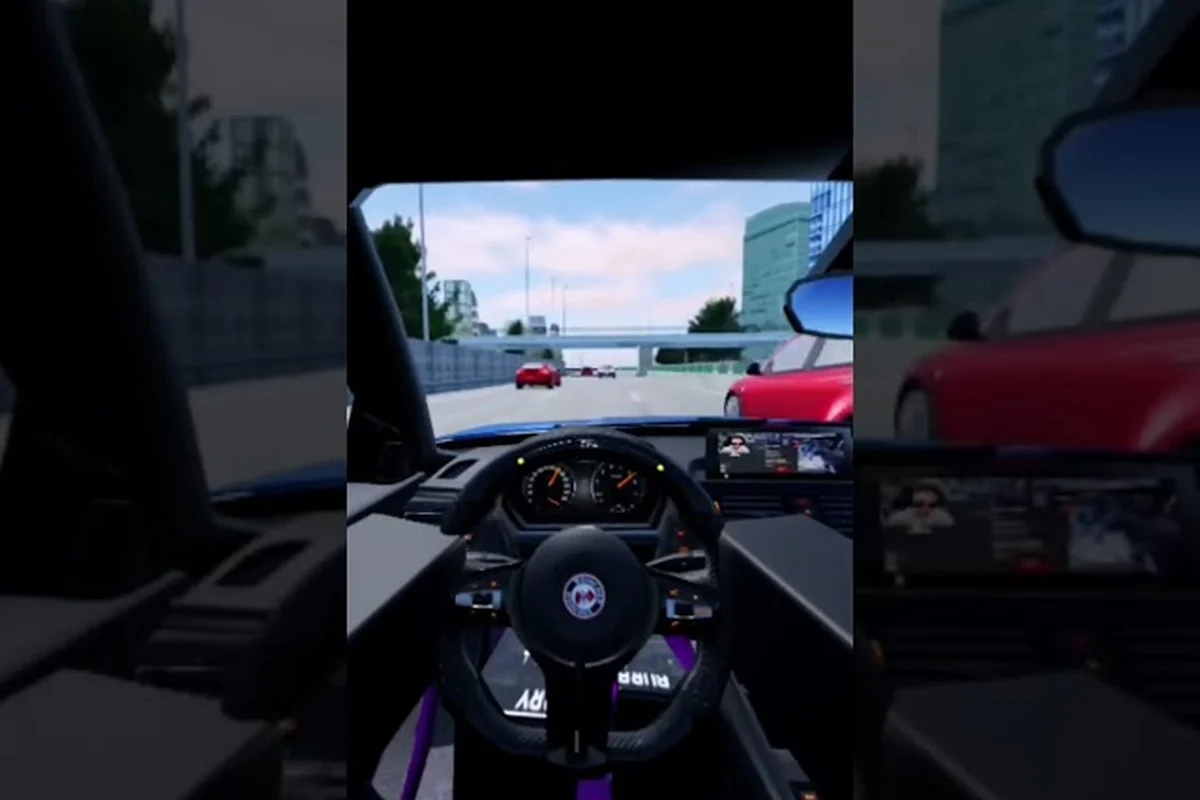
Ghost Driver third person is the default camera angle in this Roblox traffic-cutting experience, and it happens to be the view most veteran players stick with for high-speed highway runs. The reason is simple: when you are threading through moving traffic at full throttle, you need maximum peripheral awareness of the cars ahead, beside, and behind you. The official Ghost Driver page on Roblox confirms that pressing V toggles between third person and first person, which means every player has to make a deliberate choice about which perspective suits their driving style. This guide breaks down why ghost driver third person gives you the best balance of visibility and spatial awareness, how to tune your control settings around it, and exactly when you should switch to first person for precision maneuvers.
Why Ghost Driver Third Person Beats First Person for Traffic Reading
The core loop of Ghost Driver revolves around cutting through dense highway traffic at insane speeds, and the camera angle you choose directly determines how much information you can process per second. When you drive in ghost driver third person, your car occupies roughly the bottom-center of the screen, which leaves the upper 70 percent of your display dedicated to scanning the road ahead. That visual real estate matters because traffic lanes in this pre-alpha build spawn with unpredictable gaps, and you often have less than two seconds to react to a closing gap or a sudden lane change from an AI vehicle.
First person view, by contrast, places the camera inside the cockpit and gives you a narrower field of view that makes judging distances to oncoming cars significantly harder. Community reports from the Ghost Driver Discord suggest that most players who attempt first person for extended runs end up crashing more frequently because they cannot see vehicles approaching from the side lanes. The tradeoff becomes clear when you compare the two perspectives side by side:
| Camera View | Field of View | Traffic Awareness | Drift Precision | Recommended For |
|---|---|---|---|---|
| Third Person | Wide (approx. 120°) | High — see multiple lanes | Moderate — easier to judge car angle | Highway cutting, long runs |
| First Person | Narrow (approx. 70°) | Low — limited peripheral vision | High — immersive feel, precise steering | Short sprints, cinematic clips |
| Hood Cam | Medium (approx. 90°) | Medium — road-focused | Medium — balanced option | Players who want a middle ground |
The data from the Roblox Games API shows Ghost Driver has accumulated over 901,000 total visits since its May 2026 launch, and the active player count hovers around 3,400 concurrent drivers during peak hours. With that many players testing the pre-alpha build daily, the community has converged on ghost driver third person as the standard for serious runs because it simply offers the most information per frame. When you combine the wide field of view with the ability to see your car's body roll during drifts, you gain a better intuitive sense of when your rear wheels are about to lose grip.
Setting Up Your Camera and Controls for Third Person Driving
Getting the most out of ghost driver third person requires more than just pressing V at the start of a run. You need to configure your control settings so that your hands can execute quick inputs without looking away from the road. The default key bindings on PC are straightforward, but subtle adjustments can make a meaningful difference in how smoothly you transition between braking, drifting, and accelerating through traffic gaps.
Default Key Bindings and What They Do
The official game page lists the core controls as W/A/S/D or Arrow Keys for steering, Shift for handbrake and drift, V for camera switching, and L for headlights. For ghost driver third person specifically, the most important binding to master is the handbrake, because drifting is your primary tool for shedding speed while maintaining momentum through corners. Many new players make the mistake of treating the handbrake as an on-off switch, when in reality the best drifters feather it with quick taps to control the angle of the slide.
| Action | Default Key | Function | Third Person Advantage |
|---|---|---|---|
| Steer | W/A/S/D or Arrows | Move the car through traffic | See car position relative to lanes |
| Handbrake / Drift | Shift | Initiate slides and sharp turns | Watch rear wheel slip angle |
| Camera Switch | V | Toggle third/first person | Quick toggle for tight sections |
| Headlights | L | Illuminate night highway | Better visibility in dark runs |
| Brake | S or Down Arrow | Reduce speed gradually | Judge braking distance visually |
The ghost driver how to brake question comes up constantly in community forums because the game does not have a dedicated brake key separate from reverse. Pressing S or the Down Arrow applies the brakes, but holding it too long will eventually put the car into reverse, which is almost always fatal in a traffic-cutting run. In ghost driver third person, you can see your car's brake lights illuminate, which gives you a visual cue for how much braking force you are actually applying. That feedback loop is much harder to read in first person because the camera angle hides the rear of the vehicle.
Adjusting Camera Sensitivity for Smoother Tracking
One of the underrated aspects of ghost driver third person is how the camera follows your car during high-speed maneuvers. The default camera sensitivity can feel twitchy when you are weaving through traffic at top speed, especially if you are using a high-DPI mouse. Players who want a smoother experience can adjust their mouse sensitivity settings in Roblox's general settings menu, which directly affects how quickly the third person camera rotates around the car.
For players on console or using a controller, the ghost driver xbox controls follow the same layout as PC but map steering to the left stick and the handbrake to the right bumper. The camera in third person mode on controller feels more natural for many players because the analog stick allows for gradual camera rotation rather than the binary input of a keyboard. If you are playing on Xbox, consider lowering the camera rotation speed in the Roblox settings to prevent the view from swinging wildly when you initiate a drift.
Drifting in Third Person: Reading the Car's Body Language
The ghost driver how to drift keys question is one of the most searched topics in the community, and the answer changes depending on whether you are in third person or first person. In ghost driver third person, you press Shift to engage the handbrake while simultaneously steering into the corner, then counter-steer to control the slide. The advantage of third person is that you can see the entire car body rotate, which makes it easier to judge when you have reached the optimal drift angle before straightening out.
The Drift Initiation Sequence
Mastering drift initiation in third person comes down to timing your handbrake input with the car's weight transfer. When you approach a corner, you should tap the brake briefly to shift weight to the front wheels, then immediately press Shift and steer into the corner. The car's rear end will swing out, and you can watch the body angle from the third person camera to determine how much counter-steer is needed.
-
Approach the corner at full throttle while scanning for traffic gaps in your peripheral vision.
-
Tap the brake (S or Down Arrow) for 0.2-0.3 seconds to shift weight forward.
-
Press Shift and steer into the corner simultaneously to break rear traction.
-
Counter-steer as the car rotates, using the third person view to monitor the slide angle.
-
Release Shift and accelerate once the car is pointed toward the exit of the corner.
The reason ghost driver third person excels for this sequence is that you can see both the front and rear of your car simultaneously, which gives you a complete picture of the drift angle. In first person, you only see where the hood is pointing, which means you are often reacting to the drift rather than anticipating it. Players who want a deeper breakdown of drift mechanics can check the Ghost Driver drift guide for advanced techniques like chain drifting and traffic weaving.
Common Drift Mistakes in Third Person
Even with the superior visibility of third person, players still make predictable mistakes that cost them runs. The most common error is holding the handbrake too long, which causes the car to spin a full 180 degrees and face oncoming traffic. In ghost driver third person, you can see this happening in real time, but the instinct to hold Shift comes from muscle memory built in other racing games where drifting is more forgiving.
Another frequent issue is steering too aggressively during the counter-steer phase, which sends the car into a pendulum swing that is nearly impossible to recover from at highway speeds. The key is to use small, precise steering inputs during the slide and let the car's momentum carry it through the corner. Because the third person camera shows the full body rotation, you can train yourself to make smaller corrections by watching how the car responds to each input.
Comparing Camera Views Across Different Driving Scenarios
While ghost driver third person is the best all-around choice, there are specific scenarios where switching to first person gives you an edge. The V key toggle exists for a reason, and knowing when to use each view is part of mastering the game's control scheme. The table below breaks down which camera works best for common driving situations:
| Scenario | Best Camera | Why It Works | When to Switch |
|---|---|---|---|
| Long highway stretches | Third Person | Maximum traffic awareness | Stay in third person |
| Tight gap threading | Third Person | See car width vs. gap size | Only switch if struggling |
| Night driving | Third Person | Headlights illuminate wider area | Use L for headlights |
| Cinematic replays | First Person | Immersive cockpit view | After the run ends |
| Precision parking | First Person | Better depth perception | Rarely needed in runs |
The ghost driver best camera view ultimately depends on your personal comfort level, but the community consensus is clear: third person dominates for actual gameplay because it provides the spatial awareness needed to survive dense traffic. First person is best reserved for content creation or for players who find the third person camera too detached from the action. Some players report that alternating between the two views mid-run helps them reset their focus, especially during long sessions where visual fatigue sets in.
How Camera Choice Affects Reaction Time
Reaction time is the single most important skill in Ghost Driver, and your camera choice directly impacts how quickly you can process threats. In ghost driver third person, your brain receives a wide-angle view of the road that allows you to pre-plan your route through traffic several car lengths ahead. This anticipatory processing is what separates top players from average ones, because they are not reacting to gaps as they appear but rather positioning themselves for gaps that are about to open.
First person view, by contrast, forces you to react to threats as they enter your narrow field of view, which gives you less time to execute evasive maneuvers. The difference is measurable: community testing suggests that players using third person consistently complete runs with fewer crashes and higher combo chains because they can maintain momentum through traffic without sudden braking. If you want to improve your reaction time, staying in ghost driver third person and practicing gap reading is the most effective training method.
Advanced Third Person Techniques for 2026 Meta
As Ghost Driver continues its pre-alpha development cycle, the meta around camera usage and control settings evolves with each patch. The ghost driver controls 2026 landscape includes subtle optimizations that experienced players use to squeeze extra performance out of their runs. These techniques go beyond the basics and require deliberate practice to master.
Camera Toggling for Cornering Precision
One advanced technique that has gained traction in the community is toggling between third person and first person at specific moments during a run. While ghost driver third person is the default, some players switch to first person for the instant they initiate a drift, then switch back once the slide is established. The theory is that first person gives you a better sense of the car's forward momentum during the initial weight shift, while third person is superior for monitoring the slide angle.
| Technique | Difficulty | Risk Level | Reward |
|---|---|---|---|
| Full Third Person | Easy | Low | Consistent, reliable |
| Toggle During Drift | Medium | Medium | Better drift entry |
| First Person Only | Hard | High | Immersive, risky |
| Hybrid Approach | Advanced | Medium | Best of both views |
The hybrid approach requires you to build muscle memory for the V key toggle, which takes time but can improve your cornering precision. However, the risk is that you mistime the toggle and find yourself in the wrong camera view mid-maneuver, which can disorient you enough to cause a crash. Most players who attempt this technique recommend practicing it in low-traffic sections first before attempting it during dense highway runs.
Optimizing Graphics Settings for Third Person Clarity
Because ghost driver third person shows more of the environment on screen, your graphics settings directly affect how clearly you can read traffic patterns. Players with lower-end PCs may need to reduce graphics quality to maintain a stable frame rate, since a choppy frame rate makes it harder to judge distances and react to closing gaps. The Roblox graphics settings menu offers several quality levels, and the community recommends balancing visual fidelity with performance.
The most important setting for third person driving is the camera field of view, which can be adjusted in Roblox's settings menu. A wider FOV shows more of the road ahead but can create a fisheye effect that distorts distances, while a narrower FOV makes traffic appear closer than it actually is. Finding the sweet spot for your monitor size and seating distance is a personal preference, but most players report that the default FOV works well for ghost driver third person. For a complete breakdown of performance settings, the Ghost Driver keyboard controls guide covers graphics optimization alongside key bindings.
Frequently Asked Questions
Is ghost driver third person the best camera view for beginners?
Yes, ghost driver third person is the recommended camera for beginners because it provides the widest field of view and makes traffic reading significantly easier. New players should stay in third person until they build confidence with the drift mechanics, then experiment with first person once they understand how the car handles at speed.
How do I switch between third person and first person in Ghost Driver?
Press the V key on PC to toggle between third person and first person camera views. On Xbox, the camera toggle is mapped to the View button on the controller. The game defaults to third person when you spawn, and the camera setting persists for the duration of your session unless you manually switch.
What are the ghost driver how to drift keys on PC?
The drift keys on PC are Shift for the handbrake combined with A/D or Left/Right Arrow for steering. To initiate a drift, tap the brake briefly, press Shift, and steer into the corner. Release Shift once the car reaches the desired slide angle, then counter-steer to straighten out.
Does the camera view affect how I should brake in Ghost Driver?
Yes, ghost driver third person makes braking easier to judge because you can see the car's brake lights and body movement. First person hides the rear of the car, making it harder to gauge braking force. In third person, tap the brake (S key) in short bursts rather than holding it to avoid slowing down too much.
What is the best camera FOV setting for ghost driver third person?
The default Roblox FOV setting works well for most players, but you can adjust it in the settings menu if you want a wider or narrower view. A wider FOV shows more traffic ahead but can distort distances, while a narrower FOV makes cars appear closer. Experiment with different values to find what feels most comfortable for your setup.