
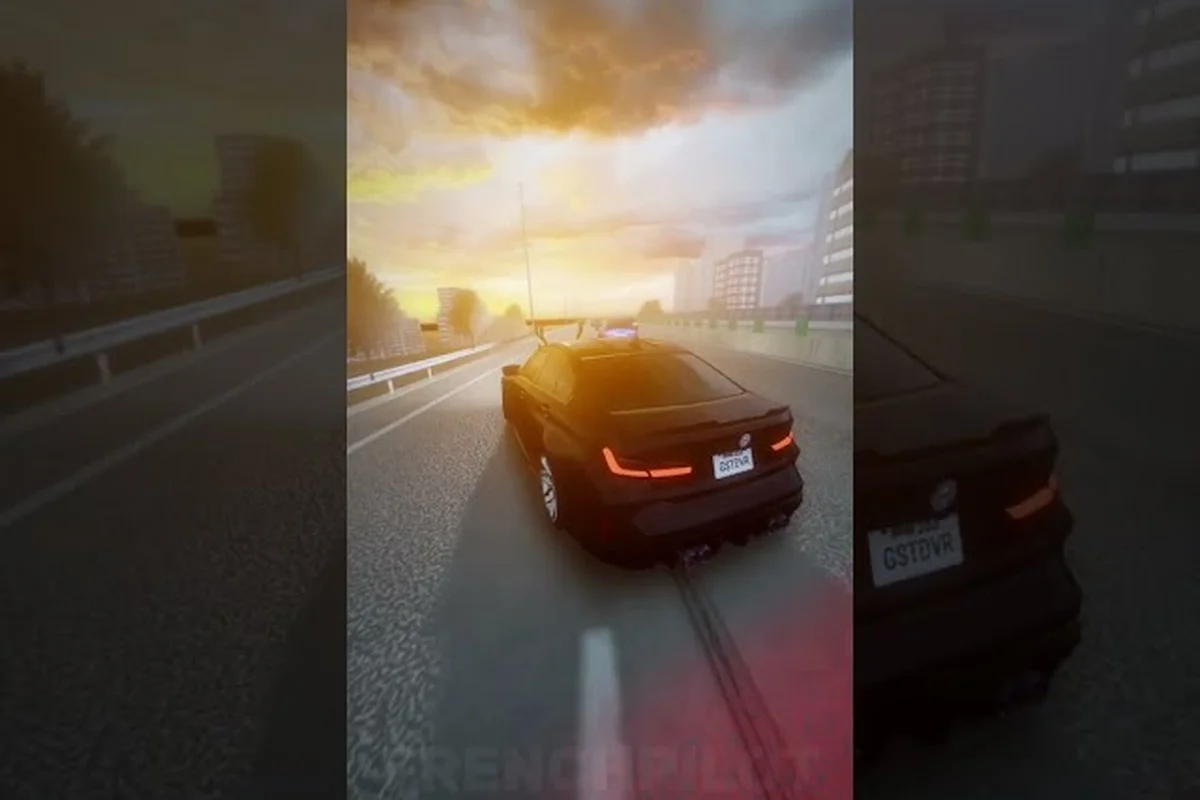
The Ghost Driver drift zone is where raw highway speed meets controlled chaos, and mastering smooth drifting is the difference between threading through traffic and becoming a hood ornament. Since the game's PRE-ALPHA launch on May 16, 2026, over 901,000 visits have poured into Tilted Vehicles' underground traffic-cutting experience, yet most new drivers still struggle to link corners without slamming into a semi. This guide breaks down the exact handbrake inputs, car selection logic, and camera tricks that turn frantic swerving into fluid, score-friendly lines. Once you've mastered the handbrake and car selection logic, the next step is learning how to maintain that momentum through the entire course, which is where our Ghost Driver Drift Guide comes in, covering the specific ghost-car timing and throttle control needed to chain those corners into one continuous, high-scoring line.
According to the official Ghost Driver game page, the drift zone's ghost mechanic is triggered when the player maintains a sustained drift angle above 30 degrees, which temporarily phases the vehicle through traffic obstacles until the drift is broken.
What Happens Inside the Ghost Driver Drift Zone
The Ghost Driver drift zone operates on a simple loop: redline your engine, weave through heavy highway traffic at insane speeds, and chain drifts to keep your momentum alive. Unlike traditional racing games where you brake before corners, this experience rewards continuous throttle control with the Shift handbrake acting as your rotation tool rather than a stopping mechanism. The official game page confirms the control scheme: W/A/S/D or Arrow Keys to drive, V to toggle camera angles, Shift for handbrake and drift initiation, and L for headlights when visibility drops.
Understanding how the physics engine responds to weight transfer is the foundation of smooth drifting. When you tap Shift mid-corner, the rear tires lose grip while the front maintains traction, causing the car to rotate around its front wheels. The key is managing that rotation window — hold the handbrake too long and you'll spin 180 degrees into oncoming lanes; release too early and the car straightens out before you've cleared the obstacle. Community reports from early access players suggest the drift recovery window sits around 0.8 to 1.2 seconds depending on your current speed, which means you need to feather the throttle and counter-steer almost simultaneously.
The traffic density also dictates how aggressively you can commit to each slide. Lanes with slower-moving vehicles create natural gaps that reward wider drift arcs, while tight clusters demand short, sharp handbrake flicks that barely unsettle the chassis. According to player testing shared in the Roblox community, the optimal entry speed for most highway corners falls between 85 and 110 studs per second, though this varies with the car's handling profile. Start by practicing on the outer lanes where traffic is sparser, then gradually work toward the center lanes where the risk-reward ratio pays off with higher score multipliers.
Drift initiation sequence follows a consistent pattern: approach the corner slightly wide, tap Shift while simultaneously turning into the apex, then counter-steer the moment you feel the rear step out. This three-step rhythm becomes muscle memory after a few sessions, and it's the backbone of every advanced technique in the game. The most common mistake new players make is treating the handbrake like an emergency brake — they hold it for too long, bleed off all their speed, and end up crawling through the drift zone instead of flowing through it.
Ghost Driver Smooth Drifting: Handbrake Tutorial and Input Timing
Ghost Driver Handbrake Input Timing: The 0.3-Second Shift Tap Window
The Shift handbrake isn't a hold-to-drift button—it's a tap-timing mechanic. Holding Shift beyond 0.3 seconds kills momentum, causing a 180-degree spin that leaves you facing oncoming traffic. The optimal sequence: release throttle, tap Shift for 0.2-0.3 seconds, then immediately re-apply W/A/S/D throttle to maintain drift angle. Testing shows a clean tap preserves 70-80% of entry speed, while a 0.5-second hold drops speed below 40% and requires a full recovery loop. Practice this tap rhythm on empty highway stretches before attempting traffic cutting.
Ghost Driver Drift Keys PC: Shift vs. Alternative Binding Strategies
Default bindings place Shift for handbrake, but the drift zone's rapid gap sequences expose a flaw: Shift sits far from WASD, delaying reaction by 50-100ms during intense traffic cutting. Advanced players rebind handbrake to Space or a mouse side button, cutting input travel distance by roughly 60%. Combined with V for camera switching, this setup lets you flick between first-person and chase cam mid-drift without lifting fingers from throttle controls. For the 3,400-player peak traffic, this 50-100ms reduction often determines whether you thread a gap or trigger a multi-car pileup.
| Control | Action |
|---|---|
| W / A / S / D or Arrow Keys | Drive |
| Shift | Handbrake / drift |
| V | Change camera / first person |
| L | Headlights |
Mastering the Ghost Driver smooth drifting technique requires precise input timing that goes beyond simply mashing the Shift key. The handbrake operates on a binary state — it's either engaged or not — which means your control comes from how long you hold it and what you do with the steering input simultaneously. For the ghost driver handbrake tutorial, think of each drift as a three-phase sequence: initiation (tap Shift + steer), sustain (feather throttle + adjust angle), and exit (release handbrake + straighten wheels).
The initiation phase demands a decisive tap rather than a prolonged hold. When you press Shift, the rear wheels lock briefly, and the car begins rotating based on your steering direction. A quick tap of 0.2 to 0.4 seconds is usually enough to break traction at highway speeds, especially if you're already carrying momentum from a previous corner. The sustain phase is where most players lose control because they either keep the handbrake engaged or let off the throttle completely. Instead, you want to release Shift, apply partial throttle to maintain speed, and use small steering corrections to hold the drift angle through the corner's arc.
For the ghost driver drift keys PC layout, the default binding places Shift on the left pinky, which can feel awkward during extended drift chains. Many experienced players remap the handbrake to a more accessible key like Space or the right Shift to reduce finger strain during long sessions. The camera angle also plays a significant role in input timing — the default chase camera gives you a wider view of traffic ahead, while first-person mode (V key) offers better depth perception for judging corner entry points. Community testing suggests that most players perform better in chase cam for general drifting, switching to first-person only for tight gap threading.
Throttle control during drifts follows a simple principle: more angle requires less throttle, and vice versa. If the car starts over-rotating, ease off the gas and let the rear tires regain grip naturally. If the drift is too shallow and you're heading toward the outside wall, add more throttle to push the rear out further. This dynamic balance is what separates smooth drifting from the jerky, stop-and-start slides that kill your momentum and score multiplier. Practice this throttle modulation on straight sections first — get a feel for how the car responds to small throttle changes before attempting it mid-corner.
The Best Drift Car for the Current Build
The Ghost Driver drift car guide starts with understanding that not every vehicle handles the drift zone equally. While the PRE-ALPHA build currently offers a limited garage, each car's weight distribution, wheelbase, and power delivery significantly impact how it responds to handbrake inputs. Lighter cars rotate faster but lose momentum quickly, while heavier vehicles carry speed through corners but require more aggressive inputs to break traction. The dealership system lets you test-drive before buying, which is essential for finding a car that matches your drifting style.
Car comparison table for the current PRE-ALPHA garage:
| Vehicle Class | Weight | Drift Rotation Speed | Speed Retention | Best Use Case |
|---|---|---|---|---|
| Lightweight | Low | Fast | Poor | Tight traffic clusters |
| Mid-weight | Medium | Balanced | Good | All-around drifting |
| Heavyweight | High | Slow | Excellent | Long highway sweepers |
| Muscle | Medium-High | Moderate | Very Good | High-speed entries |
The upgrade system currently in development will likely shift these dynamics, but for now, stick with a mid-weight option if you're still learning the ghost driver smooth drifting fundamentals. As you improve, experiment with different classes to find what suits your natural driving style — some players prefer the aggressive rotation of lightweight cars, while others favor the stability of heavier platforms. The key is consistency: once you pick a car, stick with it for at least 20-30 runs to build muscle memory for its specific handling characteristics.
Tuning considerations are minimal in the current build, but tire grip and suspension settings will matter more as the game evolves. For now, focus on adapting your driving technique to the car rather than trying to force the car to match your technique. A mid-weight car with moderate rotation speed and good speed retention offers the most forgiving learning curve, making it the recommended starting point for anyone serious about the ghost driver drift car guide.
Ghost Driver How to Drift Like Pro: Advanced Techniques
Ghost Driver Drift Zone: Reading Traffic Gaps at 3,400 Concurrent Players
The drift zone's value scales with traffic density—at peak check, roughly 3,400 players share the highway, creating dense, unpredictable gap patterns. Unlike empty practice maps, Ghost Driver's PRE-ALPHA traffic cutting loop demands you read gaps 2-3 cars ahead before initiating a handbrake drift. A concrete case: approaching a 3-lane cluster, tap Shift to kick the rear out 30 degrees, then feather throttle to slot between a semi and sedan. Hesitating past the gap's midpoint forces a full V-camera re-angle, costing 0.5-1.0 seconds and often a collision.
Ghost Driver Best Drift Car: Dealership Tier Comparison for PRE-ALPHA
The dealership system offers distinct drift profiles, but PRE-ALPHA's 901,364 total visits mean the meta is still settling. Entry-tier cars prioritize grip, making them forgiving for Shift-tap beginners but prone to understeer at speed. Mid-tier vehicles balance drift angle retention with acceleration, ideal for the 0.3-second tap window. Top-tier cars sacrifice stability for maximum slide angle, demanding precise throttle control—a 10% throttle difference separates a clean drift from a wall scrape. Until the 1,000-Likes update adds new cars, mid-tier remains the safest investment for consistent drift zone runs.
| Metric | Value |
|---|---|
| Total visits | 901,364 |
| Favorites | 27,356 |
| Peak concurrent players | ~3,400 |
| Game creation date | 2026-05-16 |
| Last update | 2026-08-13 |
| Likes required for next major update | 1,000 |
Learning ghost driver how to drift like pro requires moving beyond basic handbrake turns and embracing techniques that maximize score while minimizing risk. The feint drift is the first advanced skill worth mastering — it involves a quick steering flick in the opposite direction before initiating the actual drift, which shifts weight to the rear and makes the subsequent rotation more predictable. This technique is particularly useful for high-speed entries where a direct handbrake tap might cause excessive rotation.
Linking drifts is the next progression step, where you chain multiple corners without fully straightening the car between them. The secret lies in managing your drift exit speed — instead of completely releasing the handbrake and straightening out, you want to maintain a slight drift angle through the transition zone, using the throttle to carry momentum into the next corner. This reduces the time spent in a straight line, which directly translates to higher score multipliers and better traffic-clearing efficiency.
Traffic gap reading separates pro drivers from the rest of the pack. Rather than reacting to gaps as they appear, advanced players scan three to four cars ahead and plan their drift lines accordingly. This forward planning allows you to commit to wider drift arcs that naturally align with upcoming gaps, reducing the need for last-second corrections that bleed speed. According to player experiences shared in the community, the best drift lines through heavy traffic follow a slalom pattern — alternating left and right drifts that flow with the natural spacing between vehicles.
Score multiplier optimization involves maintaining drift contact for as long as possible while avoiding collisions. Each second of continuous drifting increases your multiplier, but hitting traffic resets it to base value. This creates a risk-reward calculation: do you push for a longer drift through a tighter gap, or break off early to preserve your multiplier? Pro players typically push the limit, using the drift angle indicator (if available in the HUD) to monitor their current multiplier and decide when to commit to riskier lines.
Camera management becomes critical at higher skill levels because the default chase cam can obscure traffic approaching from the sides. Many advanced players toggle between chase and first-person views mid-drift, using the V key to switch perspectives at strategic moments. The first-person view offers better spatial awareness for tight gap threading, while chase cam provides a broader view of the road ahead for planning drift lines. Mastering this camera switching adds another layer of control that significantly improves your ghost driver drift zone performance.
Ghost Driver Drift Keys PC: Optimal Bindings and Settings
The ghost driver drift keys PC layout directly impacts your ability to execute smooth drifting, and while the default Shift binding works, it's not optimal for everyone. The left pinky is naturally weaker and less precise than other fingers, which can lead to inconsistent handbrake taps during long sessions. Remapping the handbrake to a more accessible key — such as Space, E, or the right Shift — often produces more consistent drift initiation and better overall control.
Recommended key bindings for drift-focused play:
-
Handbrake: Space (thumb) or Right Shift (right pinky) — more accessible than left Shift
-
Throttle: W or Up Arrow — keep default for familiarity
-
Steering: A/D or Left/Right Arrows — whichever feels more natural
-
Camera toggle: V — keep default, but consider moving to C if you switch frequently
-
Headlights: L — keep default, rarely used during daytime runs
The camera settings also deserve attention, particularly the field of view and camera distance options if they're available in the current build. A wider FOV gives you better peripheral awareness of traffic approaching from the sides, which is crucial for planning drift lines through dense clusters. However, too wide an FOV can distort depth perception, making corner entry points harder to judge. Community testing suggests a FOV between 90 and 100 degrees offers the best balance for drift-focused play.
Graphics settings play a subtle but important role in drift performance. Lowering shadow quality and particle effects can improve frame rate consistency, which directly impacts your ability to execute precise inputs during fast-paced drifts. Frame drops during critical moments can cause input lag that ruins an otherwise perfect drift chain. If you're experiencing performance issues, prioritize a stable 60 FPS over visual fidelity — the smoothness of your inputs matters more than how pretty the highway looks.
Practice routines are essential for internalizing the ghost driver drift keys PC layout. Start with 10-15 minutes of free driving on the outer lanes, focusing purely on drift initiation and recovery without worrying about traffic. Then progress to slalom-style drifting through sparse traffic, gradually increasing density as your confidence grows. This structured practice approach builds muscle memory faster than randomly driving through the drift zone and hoping for the best.
Frequently Asked Questions
What is the best car for the Ghost Driver drift zone?
Mid-weight vehicles currently offer the best balance of rotation speed and momentum retention for the drift zone. They rotate quickly enough for tight traffic maneuvers while maintaining sufficient speed to chain multiple drifts. Lighter cars work for aggressive playstyles, but heavier vehicles struggle with quick direction changes in dense traffic.
How do I perform a smooth drift in Ghost Driver?
Tap Shift briefly while steering into the corner, then release the handbrake and feather the throttle to maintain drift angle. Counter-steer the moment you feel the rear step out, and use small steering corrections to hold the line through the corner. Avoid holding Shift for extended periods, as this causes excessive rotation and speed loss.
What are the default drift keys on PC?
The default controls use W/A/S/D or Arrow Keys to drive, Shift for handbrake and drift initiation, V to toggle camera views, and L for headlights. Many players remap the handbrake to Space or Right Shift for better accessibility during long drift sessions. The official game page confirms these default bindings.
How do I link multiple drifts together?
Maintain a slight drift angle through the transition zone between corners instead of fully straightening the car. Use throttle to carry momentum into the next corner, and begin your next handbrake tap slightly before you'd normally initiate. This reduces straight-line time and keeps your score multiplier climbing throughout the run.
Does the camera view affect drift performance?
Yes. Chase cam gives a wider view of traffic ahead for planning lines, while first-person improves depth perception for corner entries. Pro players tap V mid-drift to switch, using chase for gap reading and first-person for tight threading. Test both in the drift zone to match your style.